Salesforce
Prerequisites for Configuring Salesforce Data Source
- Salesforce Account with Enterprise access or API quota purchased
- (Optional, Recommended) Dedicated Salesforce user
Configuring Salesforce Data Source
Select the Source Type as Salesforce
Fill in the required details:
- Auth Type: Input the auth_type
- Sandbox: Toggle if you're using a Salesforce Sandbox
- Client ID, Client Secret, Refresh Token: Enter these credentials
To obtain these credentials, follow this walkthrough with the following modifications:
If your Salesforce URL is not in the X.salesforce.com format, use your Salesforce domain name. For example, if your Salesforce URL is awesomecompany.force.com then use that instead of awesomecompany.salesforce.com.
When running a curl command, run it with the -L option to follow any redirects.
If you created a read-only user, use the user credentials when logging in to generate OAuth tokens.
Start Date: Enter the date in the YYYY-MM-DD format. InsightsIQ will replicate the data added on and after this date. If this field is blank, InsightsIQ will replicate the data for the last two years.
Filter Salesforce Objects: You may choose to target specific data for replication. For Search value, add the search terms relevant to you. You may add multiple filters. If no filters are specified, InsightsIQ will replicate all data.
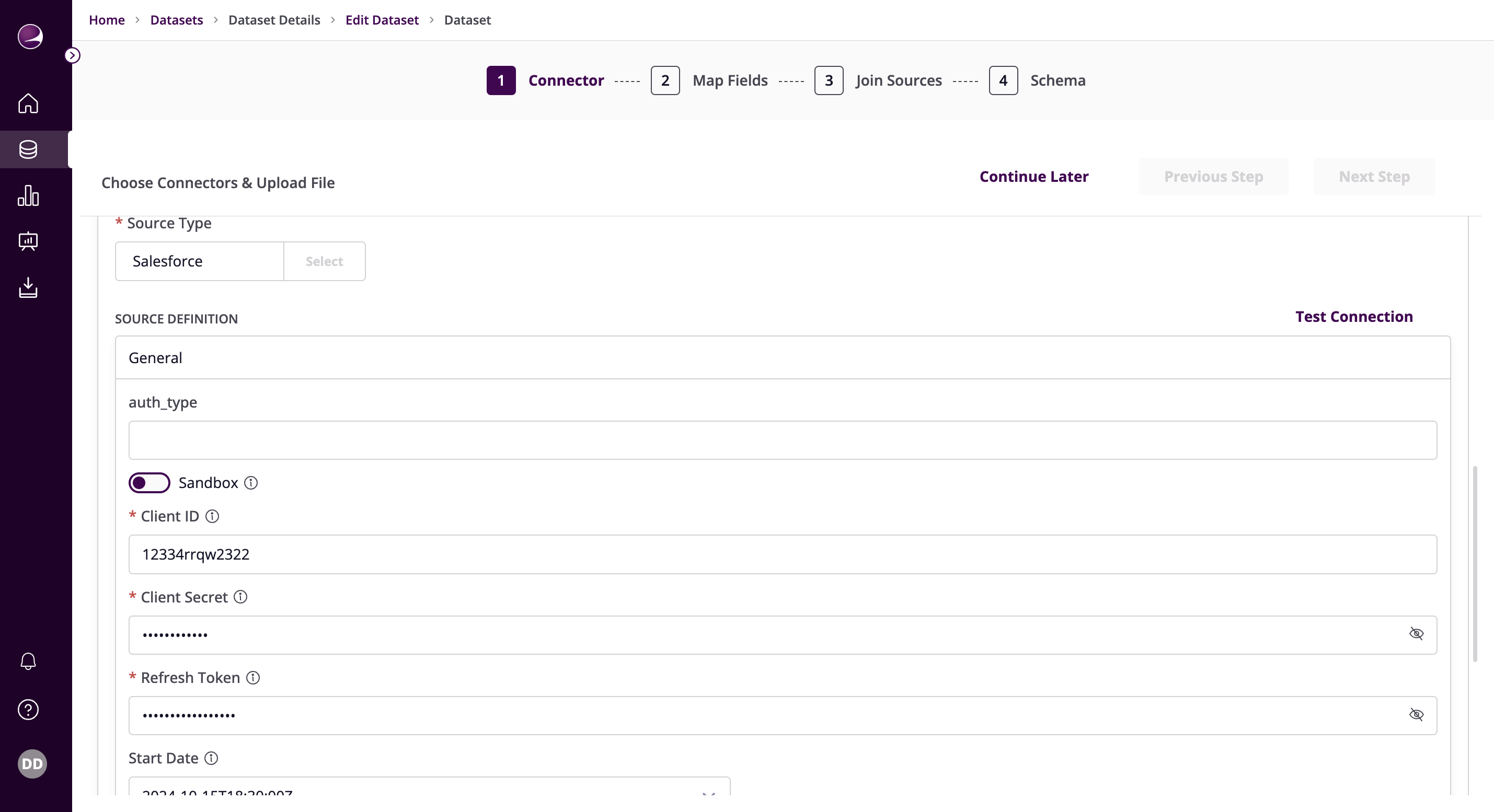
- Click on Test Connection to verify if the connection is established successfully.